

Rt. Rev. Dr. Hanninton Mutebi, the assistant Bishop of Kampala Diocese became the University Chancellor on 17th December, 2021. He marks the 2nd bishop to assume the office of Chancellor since inception. He presides over all ceremonial assemblies of the university and confers degrees, diplomas, certificates, titles and distinctions of the University. He also performs an overall supervisory role over the university affairs during his four-year term of office as provided by the charter administrative instruments.
This will close in 0 seconds

Rev. Can. Prof. Olivia Nassaka Banja (PhD (University of Edinburgh), MTh (University of Edinburgh), MA (Nottingham University), BD and Dip(ed) (Makerere University) became Vice Chancellor (VC) on the 1st January, 2023. She is the first woman to become the VC since inception of NDU, she is a Clergy in the Church of Uganda, where she has served for 29 years and also an Associate professor of the African Christianity.
As the VC, Prof. Nassaka works with the Consortium, the University Council, Deans, and Officers of the University to develop strategy and programs that enhance the University’s eminence among the top-ranked research universities in Uganda and the world; strengthen its position as a preferred destination for many of the world’s leading scholars and students; support the scholarship, education, and research that form the basis of the University’s mission; foster engagement and partnership with community, industry, and government; and uphold the traditions and values that are foundational to the culture NDU.
This will close in 0 seconds

Dr. Frederick Kakembo, the Deputy Vice Chancellor of Ndejje University is a professional administrator and researcher. Dr. Frederick Kakembo obtained a Bachelors degree in Arts with Education at Makerere University. He did graduate studies leading to Master of Education degree also at Makerere University. Dr. Frederick Kakembo did graduate studies and attained a PhD in Community Education & Training at University Of Pretoria, and a member of Brown University Alumni, USA. Dr. Frederick Kakembo the Deputy Vice Chancellor Ndejje University has served in different roles including; Reviewing the HIV/AIDS Toolkit for Higher Education Institutions in Africa and recommended appropriate online course delivery; Consultancy in a project entitled “Scaling up HIV prevention in Teso sub-region through a Civil Society Partnership with Primary and Secondary schools”; Initiated Partnership between Uganda Christian University (UCU) and Joint Clinical Research Centre (JCRC)
This will close in 0 seconds
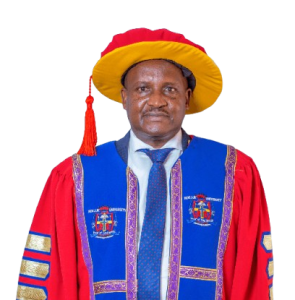
Can. Dr. Charles Kahigiriza, is the University Secretary and Secretary to Council at Ndejje University. He holds a Bachelor of Science (BSc), a Certificate in Leadership and Educational Foundations (CLEF), a Postgraduate Diploma in Education (PGDE), a Postgraduate Diploma in Human Resource Management (PGD-HRM), a Master of Education (MEd), and a Doctor of Philosophy (PhD). He is also a Lay Canon of West Buganda Diocese, responsible for education and interfaith relations.
This will close in 0 seconds

Mr. P. M. Kayongo, Lorem ipsum dolor sit amet consectetur adipisicing elit. Maxime mollitia, molestiae quas vel sint commodi repudiandae consequuntur voluptatum laborum numquam blanditiis harum quisquam eius sed odit fugiat iusto fuga praesentium optio, eaque rerum! Lorem ipsum dolor sit amet consectetur adipisicing elit. Maxime mollitia, molestiae quas vel sint commodi repudiandae consequuntur voluptatum laborum numquam blanditiis harum quisquam eius sed odit fugiat iusto fuga praesentium optio, eaque rerum!
This will close in 0 seconds

Dr. Mary N. Mutyaba Wanda, is a distinguished academic administrator and scholar, currently serving as the Academic Registrar at Ndejje University. With extensive expertise in education management, human resource development, and institutional administration, she plays a pivotal role in overseeing the university’s academic affairs, student records, and policy implementation.
Dr. Mutyaba holds a Bachelor of Arts in Education (BA/Educ.), a Master of Education (MEd), a Master of Business Administration (MBA), and a Doctor of Philosophy (PhD) in Human Resource Management. Her diverse academic background reflects her deep understanding of both educational leadership and organizational development, enabling her to foster efficiency and excellence in academic administration.
With years of experience in higher education, Dr. Mutyaba is dedicated to improving academic policies, streamlining student services, and enhancing institutional governance. Her leadership ensures that Ndejje University maintains high academic standards and a student-centered approach to learning.
This will close in 0 seconds

Can. E. Kiyingi, Lorem ipsum dolor sit amet consectetur adipisicing elit. Maxime mollitia, molestiae quas vel sint commodi repudiandae consequuntur voluptatum laborum numquam blanditiis harum quisquam eius sed odit fugiat iusto fuga praesentium optio, eaque rerum! Lorem ipsum dolor sit amet consectetur adipisicing elit. Maxime mollitia, molestiae quas vel sint commodi repudiandae consequuntur voluptatum laborum numquam blanditiis harum quisquam eius sed odit fugiat iusto fuga praesentium optio, eaque rerum!
This will close in 0 seconds

Mr. Muhumuza Wilfred Kato Atwooki, is the Dean of Students at Ndejje University. He holds a Certificate in Accounting and Finance (CAF), a Certificate in Business Studies (CERT), a Diploma in Secondary Education (DSE), a Bachelor of Education in Physical Education and Educational Management (BED PE/EMA), a Master of Science in Sports and Exercise Psychology (MSc SEP), and a Master of Science in Development Planning (MSc DP).
This will close in 0 seconds

Dr. Henry Buwule Musoke, BBA (UCU), PGDP (NDU), MSC. Acc & Fin (NKU), PhD Bus MGT (Acct & Fin) currently serves as the Acting Director of the Graduate School at Ndejje University. He holds a Bachelor of Business Administration (BBA) from Uganda Christian University (UCU), a Postgraduate Diploma in Procurement (PGDP) from Ndejje University (NDU), a Master of Science in Accounting and Finance (MSc. Acc & Fin) from Nkumba University (NKU), and a PhD in Business Management with a specialization in Accounting and Finance.
With a strong background in business management, accounting, and finance, Dr. Musoke brings a wealth of academic and professional experience to the Graduate School. His expertise and dedication to excellence continue to drive the school’s mission to provide high-quality postgraduate education and research.
This will close in 0 seconds

Dr. Primrose Nakazibwe, is the Director of Research and Innovations at Ndejje University. She holds a Bachelor of Arts in Development Studies (BA) and a Master’s in Development Studies (MDS) from Mbarara University of Science and Technology (MUST). She earned her PhD in Humanities from Tilburg University in the Netherlands.
With a strong academic background and a passion for advancing knowledge, Dr. Nakazibwe leads the university’s efforts in fostering innovative research across various disciplines. Her commitment to promoting scholarly excellence and driving impactful research initiatives continues to enhance Ndejje University's standing in the academic community, both locally and internationally.
This will close in 0 seconds

Dr. Samuel Sekiziyivu, BA.Soc(MAK), PGDE (MAK), MED-Lang Educ, PhD-Lang (MAK), is the Dean of the Faculty of Education at Ndejje University. He holds a Bachelor of Arts in Social Sciences (BA.Soc) from Makerere University (MAK), a Postgraduate Diploma in Education (PGDE) from Makerere University, a Master of Education in Language Education (MED-Lang Educ), and a PhD in Language Studies (PhD-Lang) from the same institution.
Dr. Sekiziyivu is a distinguished educator with extensive experience in language education and curriculum development. His leadership is instrumental in advancing the Faculty of Education's mission to train highly qualified educators who will make significant contributions to the field of education both locally and internationally.
This will close in 0 seconds

Dr. Geoffrey Ssebabi Mutumba, PhD (Energy Economics and Governance) - (Makerere University), MA (Economic Policy and Planning) - (Makerere University), B.A Education (Economics & Geography) - (Makerere University), is the Dean of the Faculty of Business Administration and Management at Ndejje University. He holds a Doctorate in Energy Economics and Governance, a Master's in Economic Policy and Planning, and a Bachelor's in Education with a focus on Economics and Geography, all from Makerere University.
Dr. Mutumba has extensive experience in academia and has also served as a Visiting Lecturer at the United Nations University for Peace in 2024. His leadership is shaped by his deep commitment to research and education, aiming to promote academic excellence and innovative thinking within the faculty.
This will close in 0 seconds

Dr. Robert Setekera, BSC (MTH/PHY), MSC (Applied MTH), MSC (Industrial MTH), PDEng, Ph.D (Industrial and Applied Mathematics) TU Delft, Netherlands, is the Dean of the Faculty of Science and Computing at Ndejje University. He holds a Bachelor of Science (BSc) in Mathematics and Physics, a Master of Science (MSc) in Applied Mathematics, and a Master of Science (MSc) in Industrial Mathematics. Additionally, he earned a Professional Doctorate in Engineering (PDEng) and a Ph.D. in Industrial and Applied Mathematics from TU Delft, Netherlands.
With a strong background in mathematics and extensive experience in both academic and applied settings, Dr. Setekera is committed to advancing the Faculty of Science and Computing’s mission of fostering innovation and research excellence. His leadership focuses on preparing students for the challenges of the modern scientific and technological landscape.
This will close in 0 seconds

Eng. Dr. Henry Ntale Kayondo,BSc. Eng Civil (MAK), Msc WREng (Univ. of Dar es Salaam), PhD Civil Eng, (Univ. of Alberta, Canada), is the Dean of the Faculty of Engineering and Survey at Ndejje University. He holds a Bachelor of Science in Civil Engineering (BSc. Eng Civil) from Makerere University (MAK), a Master of Science in Water Resources Engineering (MSc WREng) from the University of Dar es Salaam, and a Ph.D. in Civil Engineering from the University of Alberta, Canada.
With a distinguished career in civil engineering, Dr. Kayondo brings extensive academic and professional experience to the faculty. His expertise in water resources and civil engineering, combined with a passion for research and innovation, drives the faculty’s mission to develop skilled engineers and surveyors who can contribute to sustainable development.
This will close in 0 seconds

Dr. David Talengera, BSc. Agric (MAK), MSc.Agric (MAK), PhD (Plant Science)-Univ. of Pretoria, is a distinguished scholar in the field of Agriculture with a strong background in plant science. He holds a Bachelor of Science in Agriculture and a Master of Science in Agriculture, both from Makerere University (MAK). Dr. Talengera further advanced his expertise by obtaining a PhD in Plant Science from the University of Pretoria.
With extensive experience in agricultural research and education, Dr. Talengera is committed to promoting sustainable farming practices and advancing agricultural innovation. His work focuses on plant science, where he has contributed to numerous studies and projects aimed at improving crop production and environmental conservation.
Dr. Talengera’s dedication to agriculture and his academic achievements have made him a respected figure in the field, and he continues to inspire students and fellow researchers through his work.
This will close in 0 seconds

Rev. Latimer Muwanguzi, serves as the University Chaplain at Ndejje University, providing spiritual guidance and support to the university community. He holds a Master of Theology (M. Theo.), a Bachelor of Divinity (BD), and a Diploma in Theology (Dip. Theo.).
With his deep commitment to faith and pastoral care, Rev. Muwanguzi plays a key role in fostering a strong spiritual environment at the university, organizing various religious activities, and offering counseling to students and staff. His dedication to nurturing spiritual growth and community engagement continues to enrich the lives of all members of the Ndejje University community.
This will close in 0 seconds

Eng. Isaac Kasana, is an Electrical Engineer with experience spanning more than 40 years. He graduated from Makerere University in 1979 with a BSc. Engineering (Electrical) and later with a Master of Engineering degree from Makerere in 2006.
Isaac’s professional journey started at Mulago Hospital as a trainee Hospital Engineer (Electrical), in March
1979. He subsequently worked as an Instruments’ Engineer in Nairobi, Kenya and later in Dar- es -Salaam,
Tanzania, before returning to Uganda where he worked as Technical Manager for the IBM dealer in Uganda.
Start-Ups, SME, ICT
After working for the IBM dealer, Isaac’s established an Electronics company registered as “Engineering
Resources Associates Ltd (ERA)” that supported Computers and other Electronics Instruments and also
built fail-safe power products for protecting sensitive electronic equipment and while at ERA he also served
on the Uganda National Council for Science and Technology (UNCST) as a representative of Uganda Small
Scale Industries Association (USSIA).
Eventually, ERA merged with a Kenya-based AGMAN Ltd to form AGMAN-ERA Ltd which became the
first distributor for DELL Computers in East Africa. After passing the leadership baton at AGMAN-ERA
Ltd, Isaac established a consulting firm (Integrated Data Solutions or IDS), from which he moved to
Uganda Christian University (UCU) in August 2005 to help establish a directorate for University ICT
Services.
ICT in Education
Isaac served at Uganda Christian University (UCU) from August 2005 to May 2013 from where he was
seconded to take up the assignment of CEO at Research and Education Network for Uganda (RENU)
from June 2013 to December 2018. After 6 years at RENU, he returned to Consulting work through which
he got involved in the establishment of a directorate for ICT support (DICTS) for Ndejje University.
Continuous Professional Education
Isaac is committed to the principle of life-long learning so, among other continuing professional
development or CPD, he participated in many short courses including the one for leadership training run
by the Institute for National Transformation (INT) and those offered by the World bank online campus
(WB-OLC), , an e-learning content design course by eLearning Africa Academy, and these have enabled
him to strengthen his contribution in the education-technology management space.
Leadership and Governance
Isaac has served in various leadership and governance roles in professional and social-service providing
institutions: [the council of Uganda Institution of professional Engineers (UIPE), the National Council for
Science and Technology (UNCST), the Engineers Committee for Accreditation (ECA), the Council of the
Institute of Certified council of Public Accountants of Uganda (ICPAU) - as a non-accountant member].
Isaac served for 2 years on the board of trustees of the UbuntuNet Alliance for regional research and
education networking. He also served for 6 years on the HR board of UCU, has served for 3 years on the
Board of Governors of Mengo Hospital and on the provincial Board of Education of Church of Uganda.
Isaac is a corporate member of Uganda Institution of professional Engineers (MUIPE), and a member of
the Institute of Electrical and Electronics Engineers (MIEEE).
Mentoring young professionals
Isaac is committed to mentoring young professionals such as Technicians, Engineers, Young Leaders, and
other professionals and has done so consistently from his time at International Aeradio (EA), ERA Ltd,
AGMAN-ERA Ltd, UCU, RENU and beyond.
Isaac is married to Damallie and together they have been blessed with children and grandchildren.
This will close in 0 seconds

Dr. Primrose Nakazibwe, BA (Development Studies), MDS (MUST), PhD (Humanities) Tilburg–Netherlands, is the esteemed Dean of the Faculty of Education and Humanities and also serves as the Director in the Directorate of Research and Innovation at Ndejje University. She holds a Bachelor of Arts in Development Studies and a Master of Development Studies from Mbarara University of Science and Technology (MUST). She furthered her academic journey by obtaining a PhD in Humanities from Tilburg University in the Netherlands. With extensive experience in education, research, and the social sciences, Dr. Nakazibwe provides visionary leadership that fosters critical thinking, innovation, and impactful scholarship, while advancing the university’s mission of excellence in teaching, research, and community engagement.
This will close in 0 seconds

Mr. Gitta Amos, is a distinguished leader and expert in the field of quality assurance, currently serving as the Director of the Directorate of Quality Assurance. His career has been marked by dedication to excellence, continuous improvement, and the implementation of robust systems to ensure high standards across various sectors.
This will close in 0 seconds
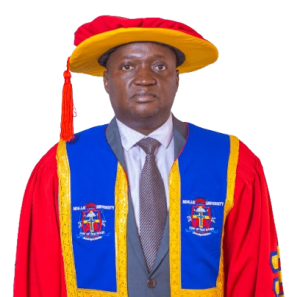
Dr.Christopher Samuel Mayanja, is an accomplished education leader, researcher, and strategic management expert, currently serving as the Deputy Vice-Chancellor of Ndejje University. He is a Certified Project Management Professional (PMP) and holds a PhD in Education Leadership, Management, and Policy from the University of KwaZulu-Natal, South Africa, with a research focus on Leadership and Gender.
Dr. Mayanja has vast experience in strategic planning, monitoring, and evaluation. He is the Director of Strategy and Planning at the Public Procurement and Disposal of Public Assets Authority (PPDA) Uganda and previously served as the Head of Planning, Monitoring, and Evaluation at Uganda Management Institute (UMI) from 2013 to 2022. His expertise in policy formulation and institutional governance extends to his role as Chairperson of Nkumba University Council and his active membership in the Uganda Evaluation Association.
A respected scholar, Dr. Mayanja has supervised numerous Master’s students at UMI, Uganda Martyrs University, and UTAMU. He has authored scholarly articles and book chapters, presented at international conferences, and contributed to various research projects on gender and economic policy. As part of the UMI Gender and Equity Budgeting Resource Pool and a Resource Person for GEPMI, he advocates for inclusive economic policies.
Dr. Mayanja has also worked as a lead consultant on several national and international projects, including the evaluation of UN Women’s contribution to governance, Uganda’s Refugee Response Settlement Transformation Agenda, and livelihood projects in Karamoja. His work continues to shape policy and academic discourse, reinforcing his commitment to leadership, research, and institutional development.
This will close in 0 seconds
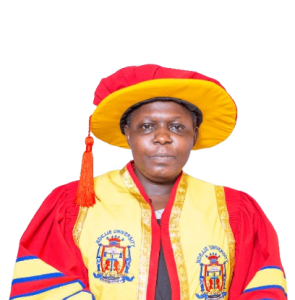
CPA. Mourine Mugisa Muwanika is a seasoned finance professional with extensive experience in financial management, budgeting, and institutional financial planning. As the University Bursar of Ndejje University, she oversees the financial operations of the institution, ensuring transparency, accountability, and efficiency in managing university funds.
She is a Certified Public Accountant (CPA) with a strong background in financial reporting, internal controls, and strategic financial decision-making. Her expertise spans across revenue management, expenditure control, and compliance with financial regulations to support the university's mission and growth.
With a commitment to excellence and integrity, CPA. Mourine Mugisa Muwanika plays a key role in financial sustainability at Ndejje University, ensuring sound financial policies that enhance service delivery and institutional development.
This will close in 0 seconds

Mr. Kyazze Frederick, is an experienced academic administrator with a distinguished career in higher education management. He currently serves as the Deputy Academic Registrar at Ndejje University, bringing decades of expertise in academic administration, examinations, and student records management.
Mr. Kyazze began his career at Makerere University in 2000 as an Assistant Registrar in the Senate Division. Within six months, he was entrusted with leading the Transcripts Office, a role he executed with efficiency and precision. In 2009, he was appointed Acting Deputy Registrar in charge of the Examinations and Transcripts Division, where he played a crucial role in streamlining academic records and certification processes. He later retired from Makerere University after a long and successful tenure.
At Ndejje University, Mr. Kyazze continues to contribute to academic excellence, overseeing critical administrative functions within the Office of the Academic Registrar. His extensive experience ensures the smooth coordination of academic records, examinations, and student services.
He holds a Bachelor's Degree and a Concurrent Diploma in Education from Makerere University, awarded in 1977. His dedication to academic integrity and institutional efficiency has made him a valuable asset in Uganda’s higher education sector.
This will close in 0 seconds
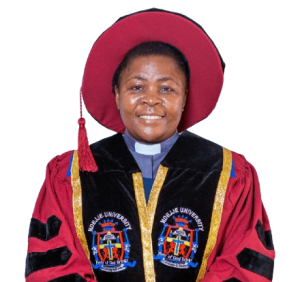
Rev. Can. Prof. Olivia Nassaka Banja (PhD (University of Edinburgh), MTh (University of Edinburgh), MA (Nottingham University), BD and Dip(ed) (Makerere University) became Vice Chancellor (VC) on the 1st January, 2023. She is the first woman to become the VC since inception of NDU, she is a Clergy in the Church of Uganda, where she has served for 29 years and also an Associate professor of the African Christianity.
As the VC, Prof. Nassaka works with the Consortium, the University Council, Deans, and Officers of the University to develop strategy and programs that enhance the University’s eminence among the top-ranked research universities in Uganda and the world; strengthen its position as a preferred destination for many of the world’s leading scholars and students; support the scholarship, education, and research that form the basis of the University’s mission; foster engagement and partnership with community, industry, and government; and uphold the traditions and values that are foundational to the culture NDU.
This will close in 0 seconds
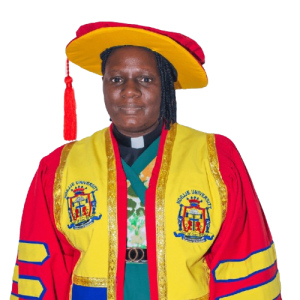
Rev. Damalie Nalubwama is a devoted clergywoman with a strong passion for spiritual leadership, pastoral care, and community service. As the University Chaplain of Ndejje University, she provides spiritual guidance, mentorship, and counseling to both students and staff, fostering a Christ-centered environment that supports holistic growth.
She has extensive experience in ministry and discipleship, with a deep commitment to nurturing faith, instilling Christian values, and inspiring moral excellence within the academic community. Her work spans across leading worship, organizing fellowship programs, and offering spiritual direction to individuals and groups.
With dedication and humility, Rev. Damalie Nalubwama plays a vital role in strengthening the spiritual life of Ndejje University, ensuring that the institution remains firmly rooted in its Christian heritage while equipping students to excel both academically and spiritually.
This will close in 0 seconds
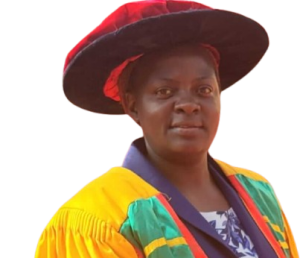
Health Professions’ Educationist | Orthopaedic Technologist
Margaret Namatovu is a self-motivated, committed, and results-oriented medical educator with extensive training and professional experience in prosthetics and orthotics. She is passionate about advancing healthcare professionals’ education through innovative curriculum development, effective instructional design, and comprehensive student assessment.
With over 10 years of experience in higher education and 23 years of professional practice, Margaret has played a pivotal role in academic management, quality assurance, student affairs, and curriculum development. Her dedication to fostering excellence in healthcare training reflects her commitment to inspiring and empowering the next generation of healthcare providers to uphold the highest standards of patient care and professionalism.
She holds a Master’s Degree in Health Professions Education, a Bachelor’s Degree in Medical Education, a Diploma in Health Service Management, and a Diploma in Orthopaedic Technology.
Beyond academia, Margaret serves as a Continuing Professional Development (CPD) focal person for her mother professional body. She is also a Board Representative and Secretary in the Allied Health Council, contributing to professional standards and regulatory development within the health sector.
This will close in 0 seconds
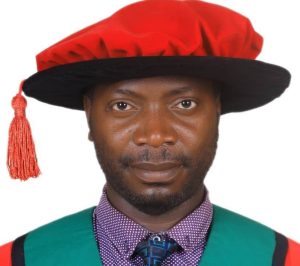
Dr. David Kibirige is a distinguished academic and engineer, serving as the Associate Dean of the Faculty of Engineering and Survey. He holds a PhD in Renewable Energy with a specialization in Medical Power Systems, and has a strong background in Biomedical Engineering, Electrical Engineering, and Physics. Dr. Kibirige is a registered member of UIPE, Uganda National Association of Medical and Hospital Engineers, and Energy Efficiency Association Uganda, reflecting his commitment to advancing engineering innovation and sustainable energy solutions in Uganda. His expertise in biomedical engineering and medical power systems has likely contributed to the development of cutting-edge healthcare technologies in the region
This will close in 0 seconds
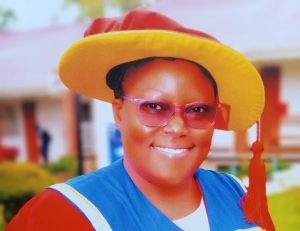
Prof. Martha Kibukamusoke is the Director of the Graduate School at Ndejje University and a distinguished Professor of Sociology with extensive experience in higher education, research, and academic leadership. She holds a Doctorate in Sociology and a Master of Arts in Development Studies from Nelson Mandela Metropolitan University, South Africa.
Prof. Kibukamusoke has over 15 years of experience in teaching, research, postgraduate supervision, and institutional development. Her research interests include sociology, Information and Communication Technologies for Development (ICT4D), social inclusion, digital transformation, human resource development, and organizational development. She has authored numerous scholarly publications and has led and contributed to various research and community development initiatives.
As Director of the Graduate School, Prof. Kibukamusoke is committed to promoting research excellence, innovation, and high-quality postgraduate education, while fostering collaborations that contribute to sustainable national and global development.
This will close in 0 seconds